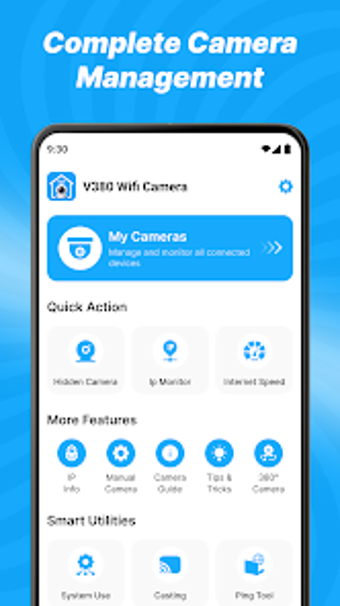
Practical Android guide for V380 camera setup and troubleshooting
V380 Cam Viewer Guide, by MS PAN, is an Android manual app for setting up and maintaining V380-series smart cameras. It provides stepwise assistance for network onboarding, configuration choices, and problem diagnosis through structured articles and screenshots. The app groups model-specific procedures, firmware variation notes, and reset instructions into a single mobile reference. It targets V380 owners who need clear installation guidance and hands‑on troubleshooting without sifting through vendor manuals.
Provides explicit, step-by-step Wi‑Fi pairing and onboarding guidance
The guide documents Wi‑Fi configuration instructions for connecting cameras to a local network and includes visual walkthroughs of the software interface. Its stepwise presentation reduces uncertainty during initial pairing by showing screenshots and ordered actions. For first‑time installers the guide explains common pairing flows and offers tips for verifying network credentials, which helps to complete basic setup without external resources.
Delivers troubleshooting advice while avoiding direct device control
The app is informational rather than a control client, so it cannot perform live operations on devices. It contains dedicated troubleshooting sections for connectivity and hardware faults and gives instructions for manual resets; the guide cannot execute remote resets. This design limits risk to the device because following the instructions never requires granting remote control to the guide itself.
Explains detection, audio, and recording configuration in practical terms
Readers get concrete configuration guidance for motion detection settings, alert notifications, and two‑way audio, plus steps for accessing cloud and local SD recordings. The guide uses organized entries and screenshots to show menu locations and recommended parameter adjustments, and it lists common causes for missed alerts and playback failures.
Serves setup-focused owners but does not replace official control apps
The guide complements the official V380 client by consolidating procedures across multiple V380 models and firmware variations, yet it is not a live‑view or control application. User feedback notes occasional confusion between this guide and the official viewer app, so readers should treat the guide as a reference for installation and configuration rather than as a management console.
A practical manual for installation-focused users, with one clear limitation
The guide is a practical choice for V380 camera owners who need clear, procedural setup and troubleshooting instructions. It does not offer live feed viewing or remote device control, so those seeking an integrated client must use the official viewer. For on‑site installation work and diagnosing connection or configuration issues, the guide meets expectations and reduces guesswork during setup.
Pros
Step‑by‑step Wi‑Fi pairing instructions with screenshots
Dedicated troubleshooting sections for connectivity and hardware issues
Guides for motion alerts, two‑way audio, and recording access
Consolidates procedures for multiple V380 models and firmware variations
Cons
Not an official control app; cannot display live feeds
Cannot perform remote resets; only describes manual reset steps
Some users may confuse it with the official V380 client
Laws concerning the use of this software vary from country to country. We do not encourage or condone the use of this program if it is in violation of these laws. Softonic may receive a referral fee if you click or buy any of the products featured here.